Command palette
The command palette is the fastest way to move around and trigger actions. Open it with Ctrl+K.
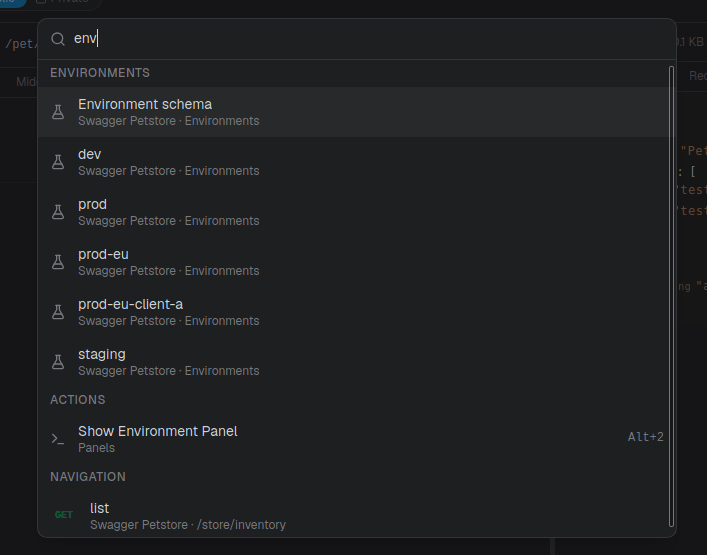
What it surfaces
Type to fuzzy-search across:
- Navigation: APIs, resources, operations, and saved request instances. Selecting one jumps straight to it.
- Environments: switch the active environment (or jump to the environment schema).
- Actions: commands you'd otherwise reach through a menu or shortcut.
Results are grouped and ranked by match quality as you type. Matching considers each item's name and a few keywords (for example, an operation matches on "operation" and "endpoint").
Keys
| Key | Action |
|---|---|
Ctrl+K | Open the palette |
↑ / ↓ | Move the selection |
Enter | Run the selected item |
Esc | Close the palette |
See Keyboard shortcuts for the full list of actions and their bindings.