Instance visibility
A request instance has one of three visibility states, set by a prefix on its filename. The prefix decides whether the request is shared, personal, or scratch, and whether git tracks it.
| Prefix | Visibility | Git | Meaning |
|---|---|---|---|
| (none) | public | committed | Shared with the team |
.local. | private | gitignored | Personal, durable, named |
.temp. | temp | gitignored | Scratch pad, one per operation |
apis/petstore-api/resources/Pet/requests/
├── get-pet.json                    # public, committed
├── create-pet.json                 # public, committed
├── .local.debug-weird-bug.json     # private, gitignored
└── .temp.get.json                  # temp for the get operation, gitignored
The project's .gitignore carries the rules that keep the last two local:
**/.local.*.json
**/.temp.*.json
Temp replaces "unsaved changes"
There is no "you have unsaved changes" dialog in API Craft, because there's nothing to lose.
When you open an operation and start editing, your edits are written continuously to a
temp request: .temp.{operation}.json. There is exactly one temp per operation, and
its filename is deterministic, so editing always lands in the same place. Crash the app,
reopen, and your work is still there.
When you're happy with a temp, save it; that promotes it to a public or private instance with a real name. Until then it sits there as a scratch pad, out of git's way.
In the app and the CLI
In the app, opening an operation loads its temp if one exists (shown with a distinct, "unsaved" style). Editing writes to the temp; Ctrl+S promotes it to a saved instance.
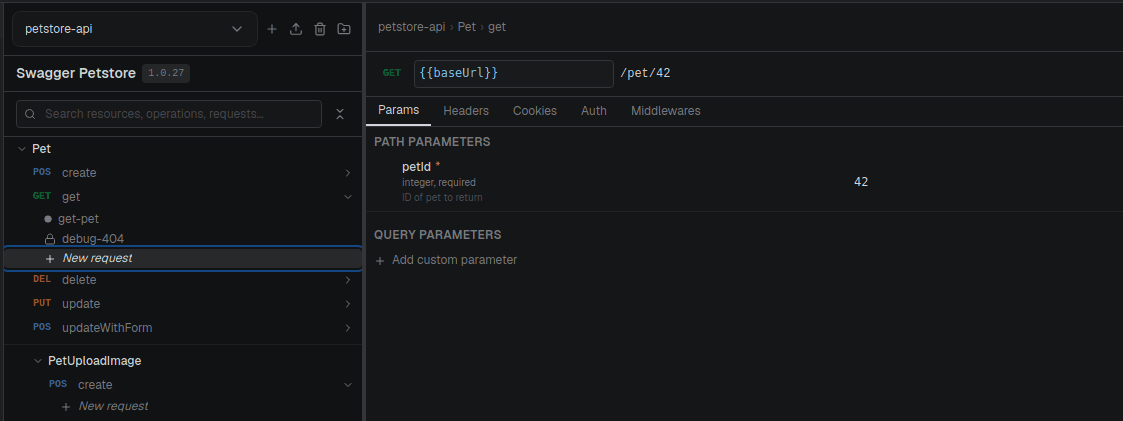
From the CLI, you change a saved instance's visibility between public and private:
craftr req set-visibility Pet/get-pet private
Temp is a behavior of the editing flow, not something you create from the CLI; it's how the
app avoids unsaved-changes loss. Standalone requests (no operation) support only public and
private.